
Fleet management Preparing for release
Driver and equipment matching. Truck and trailer locations. Connection status.
Find loads, plan trips, and keep your office, drivers, and partners connected.
Explore the workflows that connect your office, drivers, and partners.
Select jobs from your list, plan the route, and find marketplace loads along the way. Bring agreed partner work into the same trip.
Plan the trip with its driver, equipment, and eligible company loads.
Explore available work against truck capacity and an estimated detour.
Follow the request and approval process before adding eligible marketplace work to a trip.
Review scheduled work, selected-day details, and fleet locations.
See what happens when the next decision
has the full picture behind it.
Build around the trip you already have. Bring your own jobs and agreed marketplace loads into one plan.
Watch the full trip workflow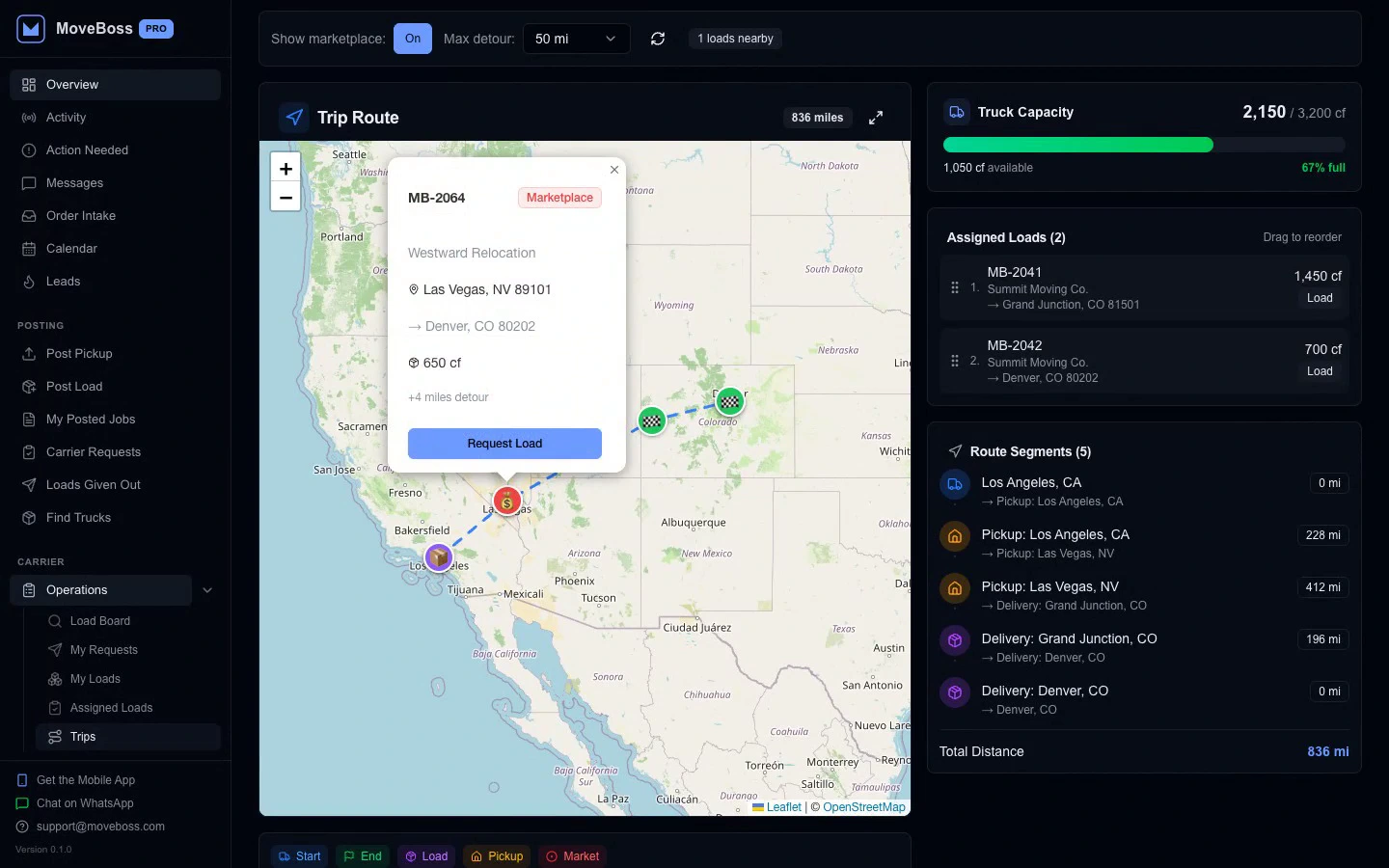
See marketplace opportunities near the route, with available capacity and estimated detour in view.
A carrier wants your next load. You should see the balance from the last one before you decide.
Watch the marketplace workflow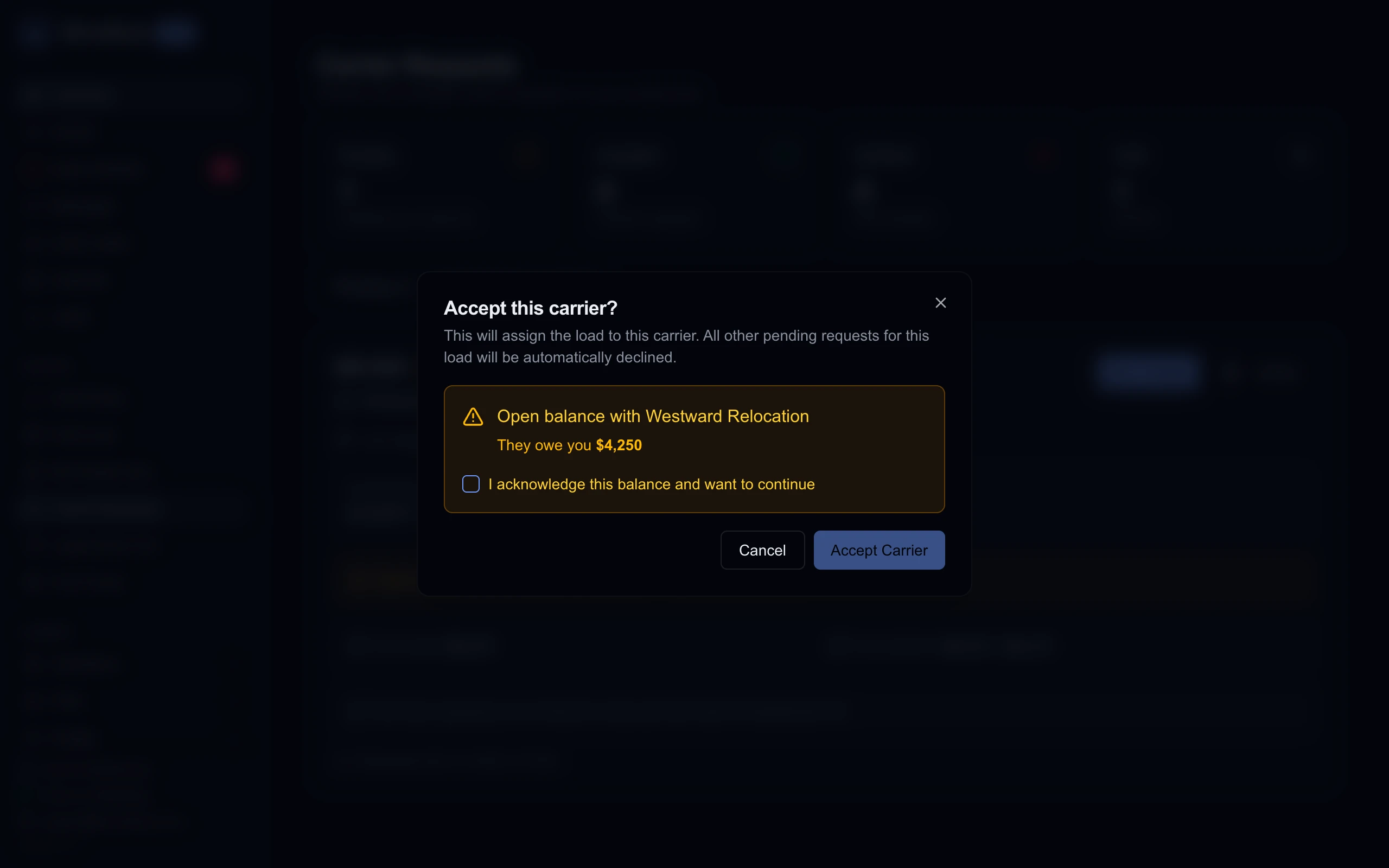
MOVE BOSS flags what the carrier owes you and asks you to acknowledge it before continuing.
The details are captured where the work happens. Your team gets the evidence behind the update.
Watch this workflow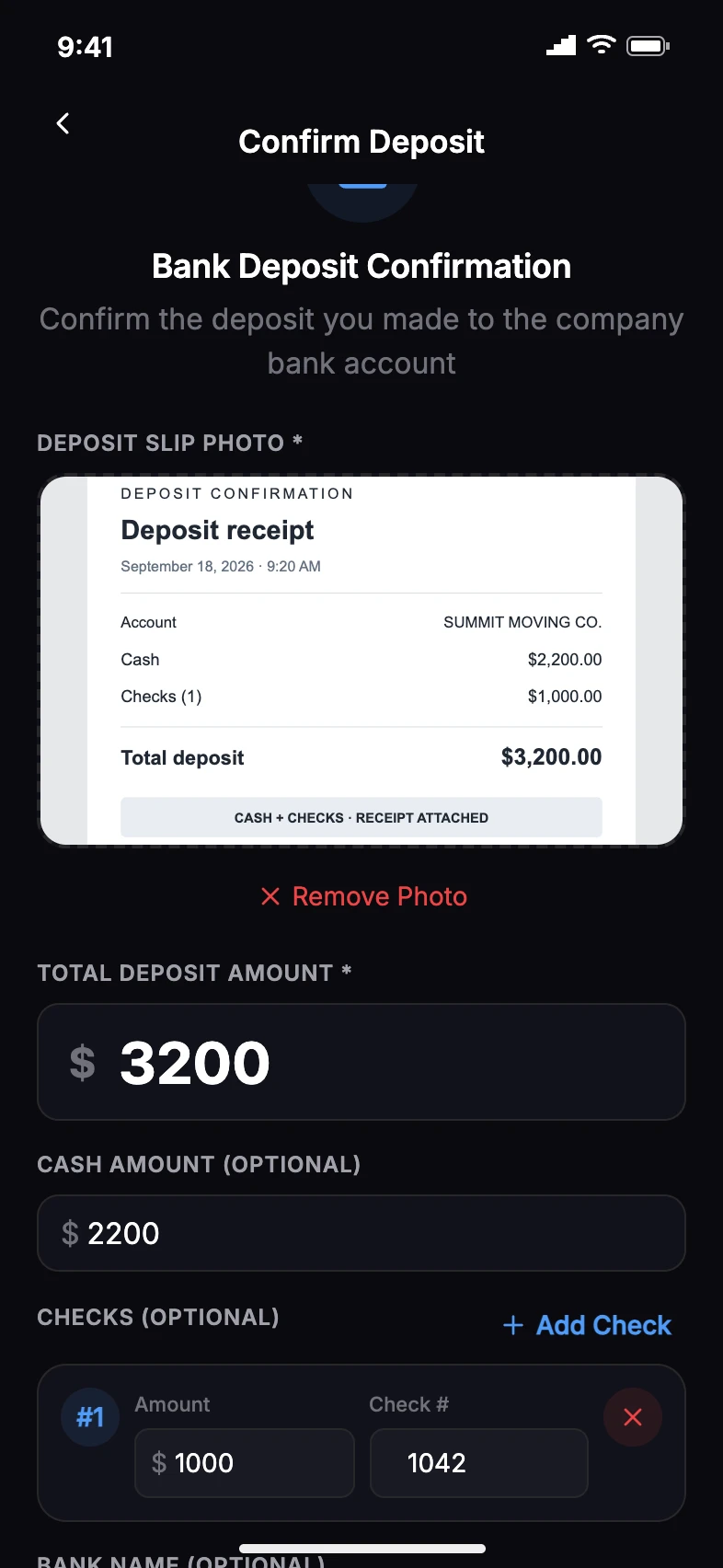
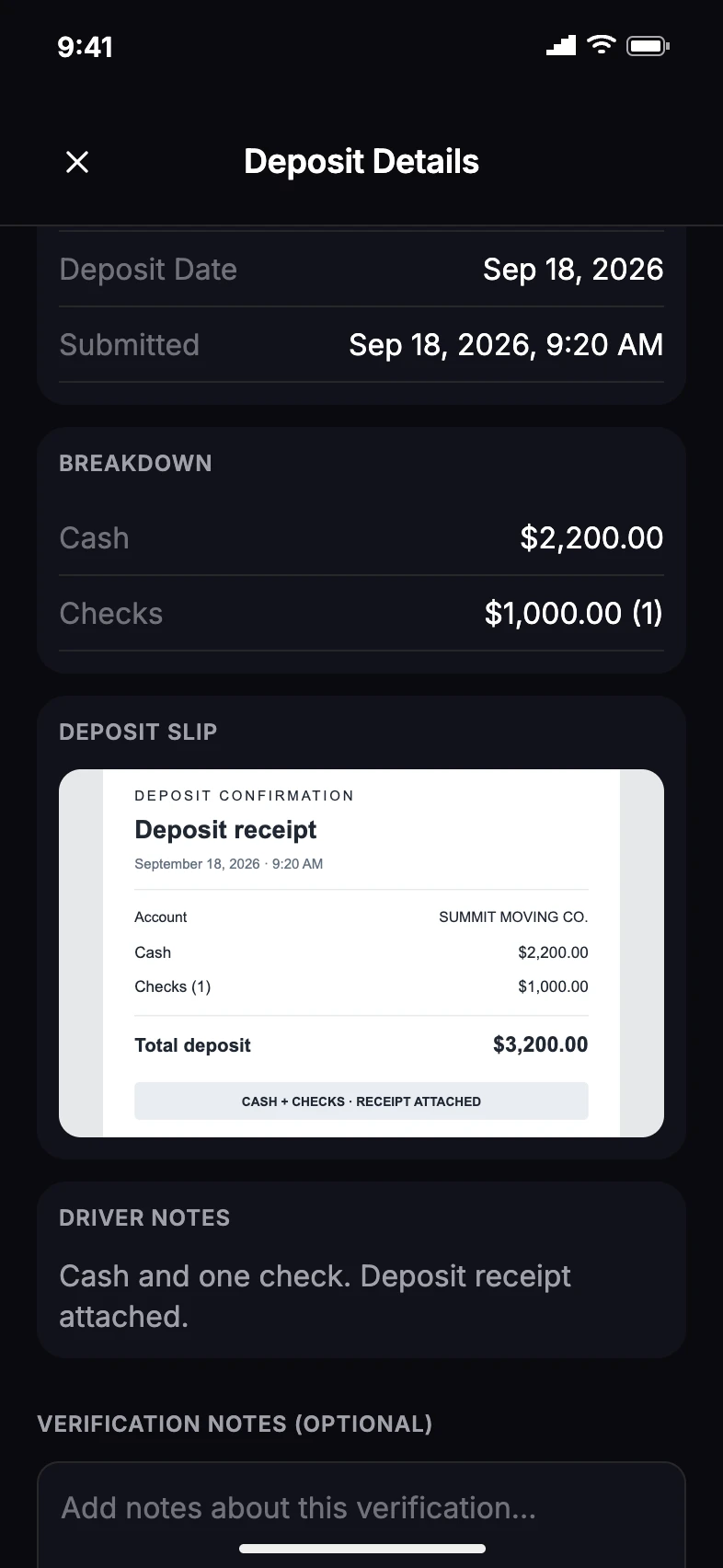
The driver records the cash, checks, and deposit slip. The owner reviews the same evidence before verifying or disputing it.
From the first shared load to the next decision. Bring moving companies, carriers, and brokers into the same flow.
Give carriers the route, volume, equipment requirements, and rate they need to consider your work.
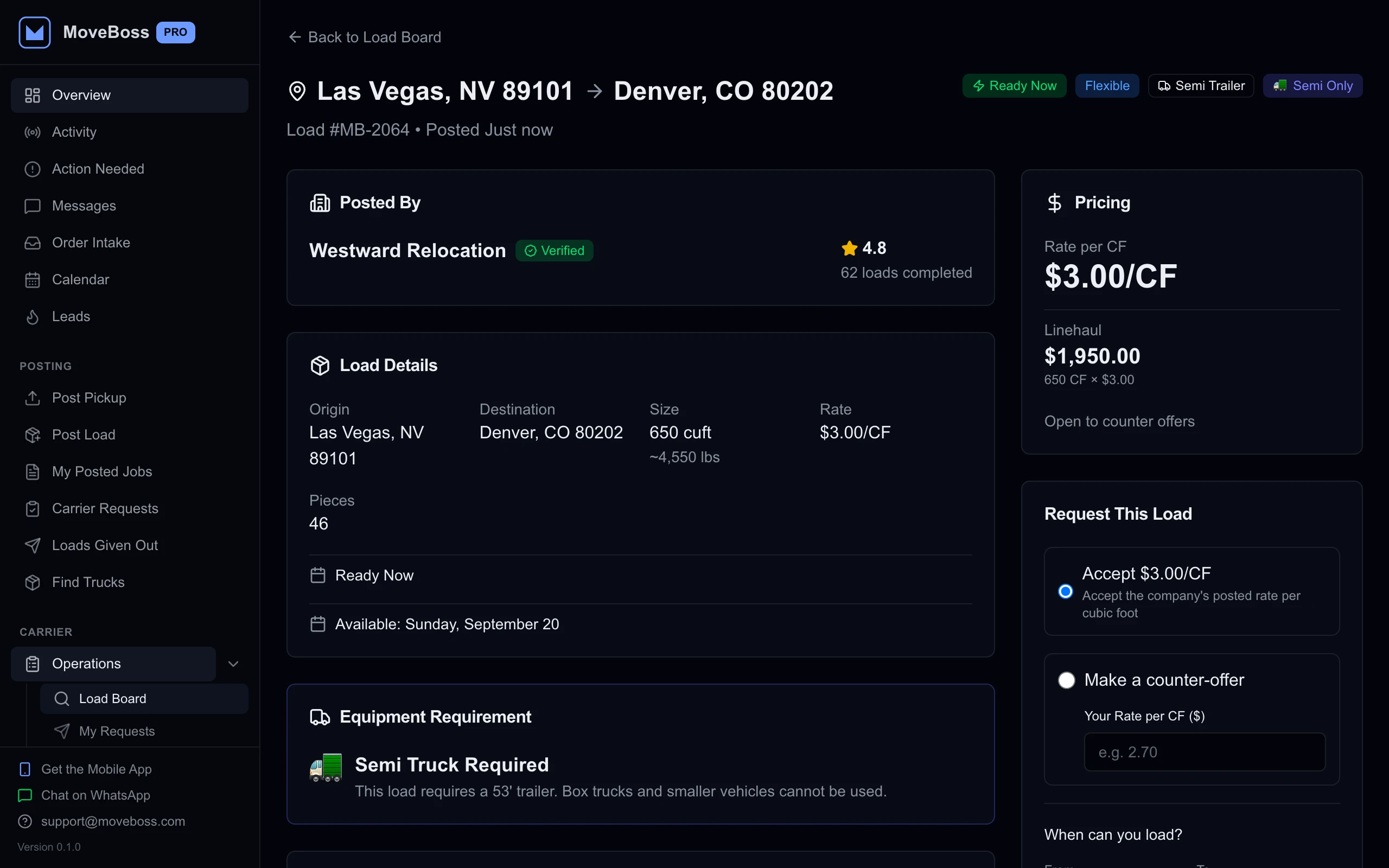
The load details a carrier reviews: route, volume, equipment, and terms.
Owners review the business. Dispatchers coordinate the work.
Drivers handle the job. One mobile app, built for each role.
Review company activity, find work, and check deposits and cash handoffs from your phone.
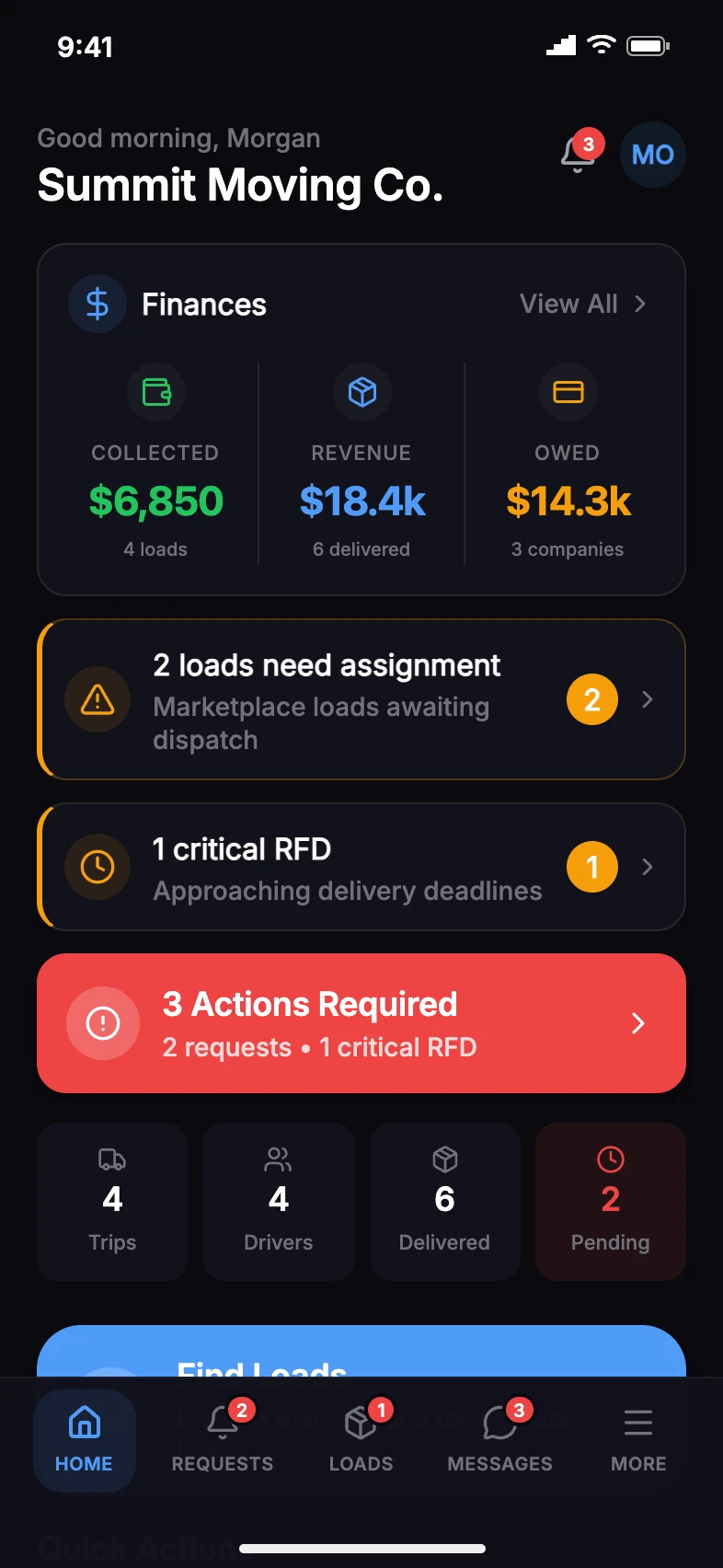
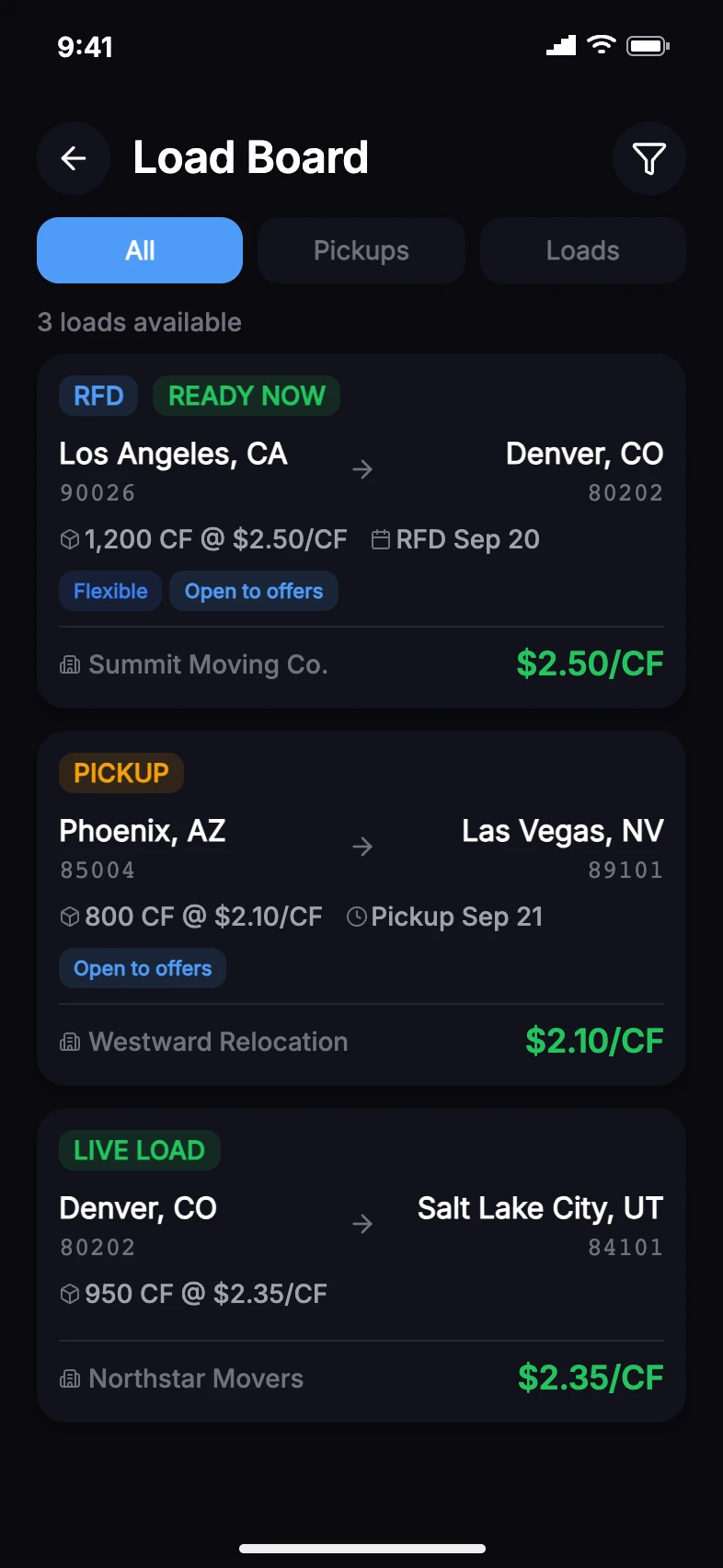
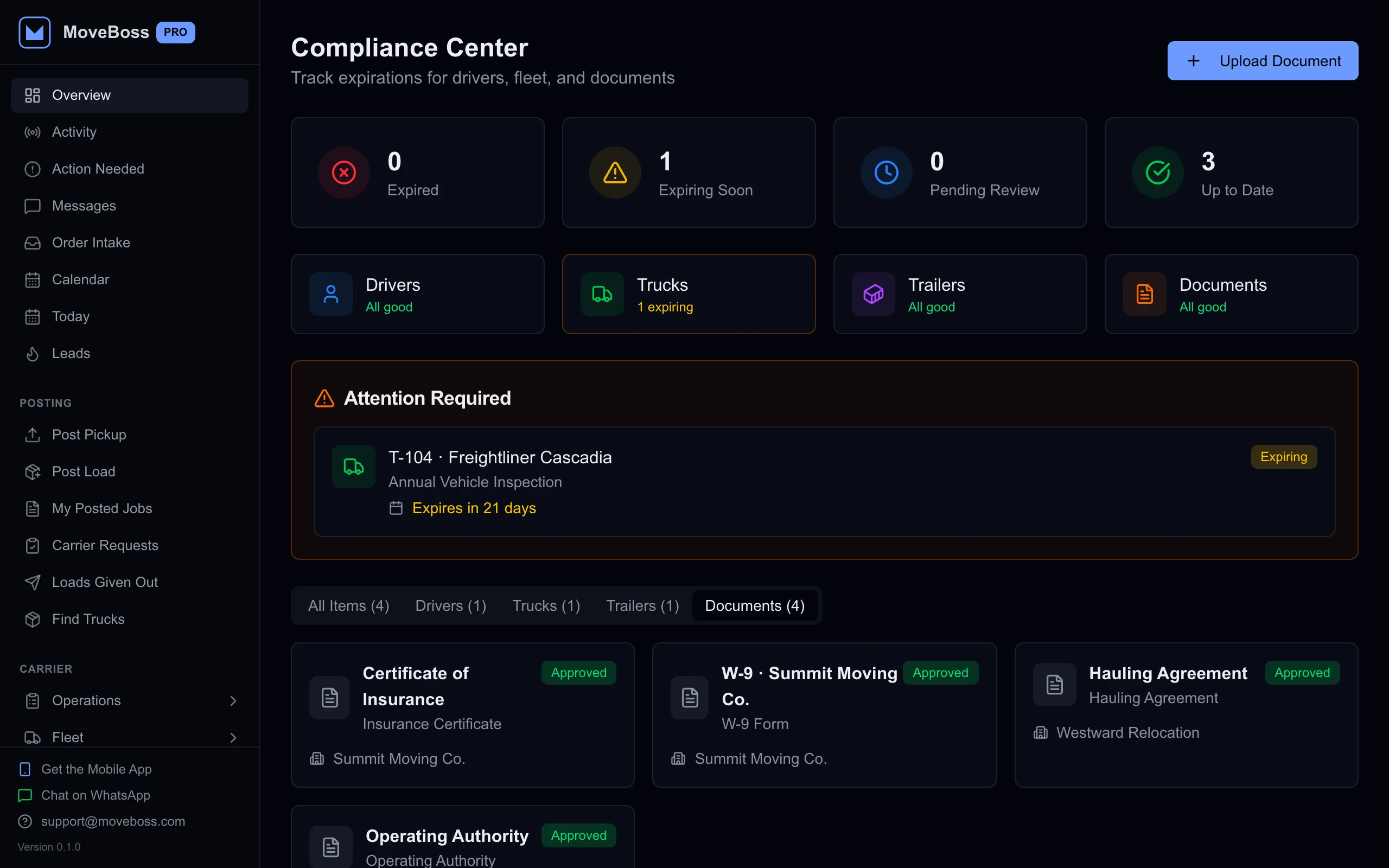
A medical card. A truck registration. A storage bill three states away. Give each deadline a place in your operation.
Keep approaching expiration dates in view, with more urgent alerts as the deadline gets closer.
License, medical-card, and TWIC expiration dates.
Registration, annual inspection, insurance, and permit dates.
Expiry alerts within 30 days, with increasing urgency at 14 and 7 days.
Open the relevant driver, vehicle, or document to review the details.
From public storage to your own warehouse. Find the jobs at each facility, locate a customer’s belongings, and keep the next payment in view.
From fleet data to the next stop. Bring the services your team knows into the way you work.

Connect driver, vehicle, and location records.

Open WhatsApp with your load details ready to share.
 OpenStreetMap
See your trip stops and fleet locations on the map.
 Google Maps
Open pickup and delivery addresses in Google Maps.
 Apple Maps
Open a job address in Apple Maps from your phone.
Driver and equipment matching. Truck and trailer locations. Connection status.
Planned integrations for the tools your business runs on.


OpenStreetMap is a trademark of the OpenStreetMap Foundation, used with permission. MOVE BOSS is not endorsed by or affiliated with the Foundation.
MOVE BOSSKeep your fleet records connected to the equipment and people on the road.
Link the drivers already in MOVE BOSS to their Motive profiles.
Match your trucks and trailers using their vehicle information.
Bring Motive location and odometer updates into linked fleet records.
Preparing for releaseMatch drivers and equipment. View truck and trailer locations, reported speed, and odometer readings alongside your operation.
We’re building a voice and text assistant for your computer and phone, designed to answer questions about your business and help you carry out work with the right permissions.
Routes, stops, loads, and equipment.
Share loads, find space, agree, and assign.
Driver locations and daily coordination.
Leads, move details, and follow-ups.
Estimates, documents, and job context.
For owners, dispatchers, and drivers.
Deposits, handoffs, review, and driver pay.
Locations, stored loads, and payment dates.
Profiles, document scanning, and expiry alerts.
Trip, driver, and partner conversations.
Access that reflects each person’s role.
Scheduled work in one shared view.
What each company owes, before the next job.
Due dates across your tracked locations.
Explore Motive and Samsara.
Explore what is in development.
Move between driver locations, the calendar, and direct dispatch conversations.
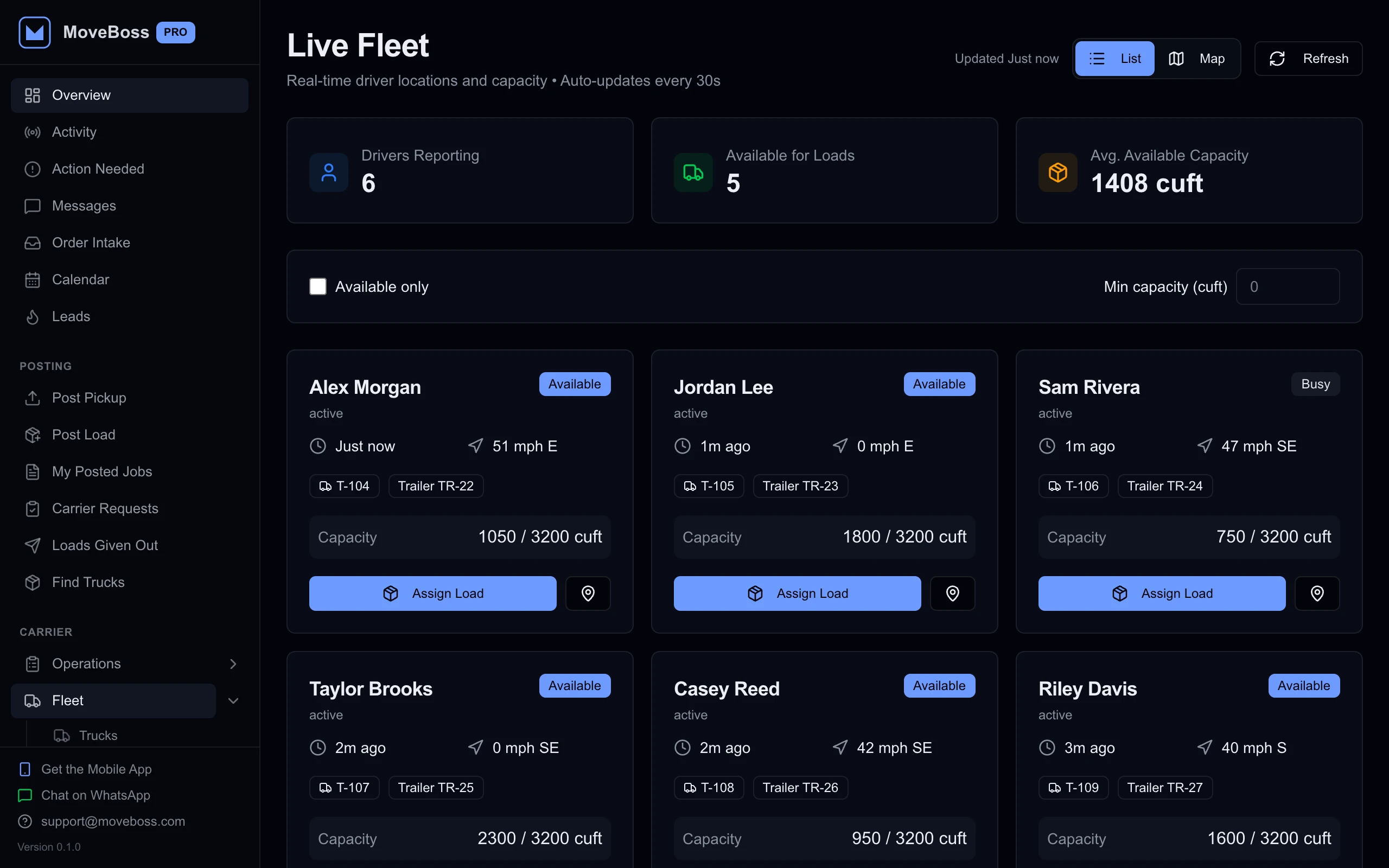
Review driver status, equipment, and available capacity in one view.
The operation. The paperwork. The people.
Purpose-built tools for the work that keeps a moving company moving.
Run the whole operation.
Bring trips, marketplace loads, partner balances, storage, and your mobile team into one workspace.

From an email to a signed contract.
Email the order for service. OFS fills your contract with the job details. Your crew reviews the details and collects signatures on a phone or iPad.

The people behind the move.
A dedicated marketplace in development for companies, carriers, and drivers to find moving help, and for professionals to find work.
See the details that keep your operation accountable.
Explore the screens your office and mobile team use.
Moving companies. Carriers. Brokers. Owner-operators.
One place to make your next move.